
FPA-4.A/TXA Devkit#
Introduction#
This guide outlines the assembly process for the FSM-XXXXXXX /TXA Devkit, designed for integration with the FPA-4.A/TXA interface and processing boards like the NVIDIA Jetson TX2. Detailed instructions are provided to ensure proper flex cable connections and module compatibility, emphasizing the importance of correct orientation to prevent hardware damage and maximize system functionality.
Assembly Instructions#
1. Connect the FSA to the FPA#
Connect the other side of the flex cable to a sensor connector on the FPA. According to the available sensor interface count, multiple FSM+FSA assemblies can be connected.
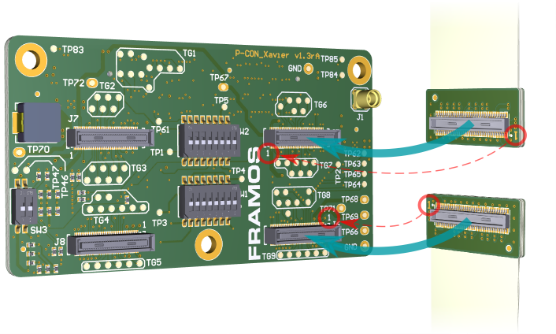
With processor boards like the NVIDIA Jetson TX2 Development Kit, the FPA provides access to only two MIPI CSI-2 lanes on FSM3 (J7) and FSM4 (J8). This might lead to restrictions in combination with some FSMs. For compatibility, please review the connector description of the specific FPA.
Warning
Direct connection of the FSM to the FPA (without the FSA) or the wrong cable orientation will lead to permanent damage of the FSM, Adapters or the Processor Board.
2. Finalize Assembly#
Remove the power supply of the processor board and connect the complete assembly to the processor board. Follow the guidelines of the processor board manufacturer for the appropriate camera connector.
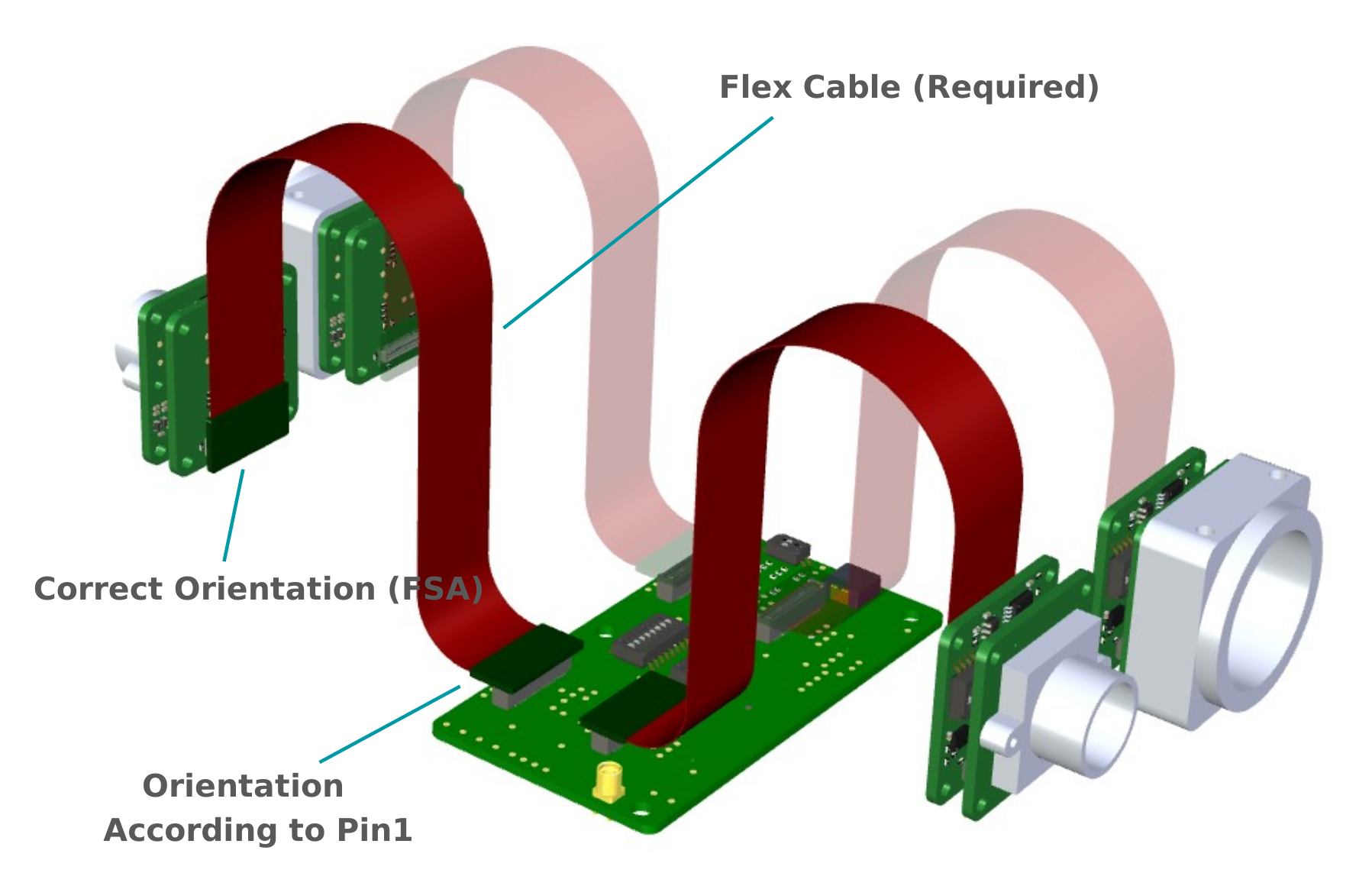
Figure: Correct orientation of Flex Cable in an example Multi-Sensor Setup (NVIDIA Jetson)
Power up the processing board and start the software setup.
Software Installation#
To perform software setup, refer to your corresponding devkit: